API Key Management
SimplifyTrip API uses API keys to authenticate your requests. You can view and manage your keys in API Keys Settings.
Test API keys use prefix pk_test_ and live API keys use prefix pk_live_.
Test secret keys use prefix sk_test_ and live secret keys use prefix sk_live_.
All API requests must be made over HTTPS. Calls made over plain HTTP fail. Unauthenticated requests also fail.
API Key and Secret Key MUST be attached in request headers when calling SimplifyTrip APIs.
In Live Mode and Test Mode, you can create separate API keys. They are isolated by environment so test data cannot affect production data.
Create API Key
Go to API Keys Settings to create an API key for your institution.
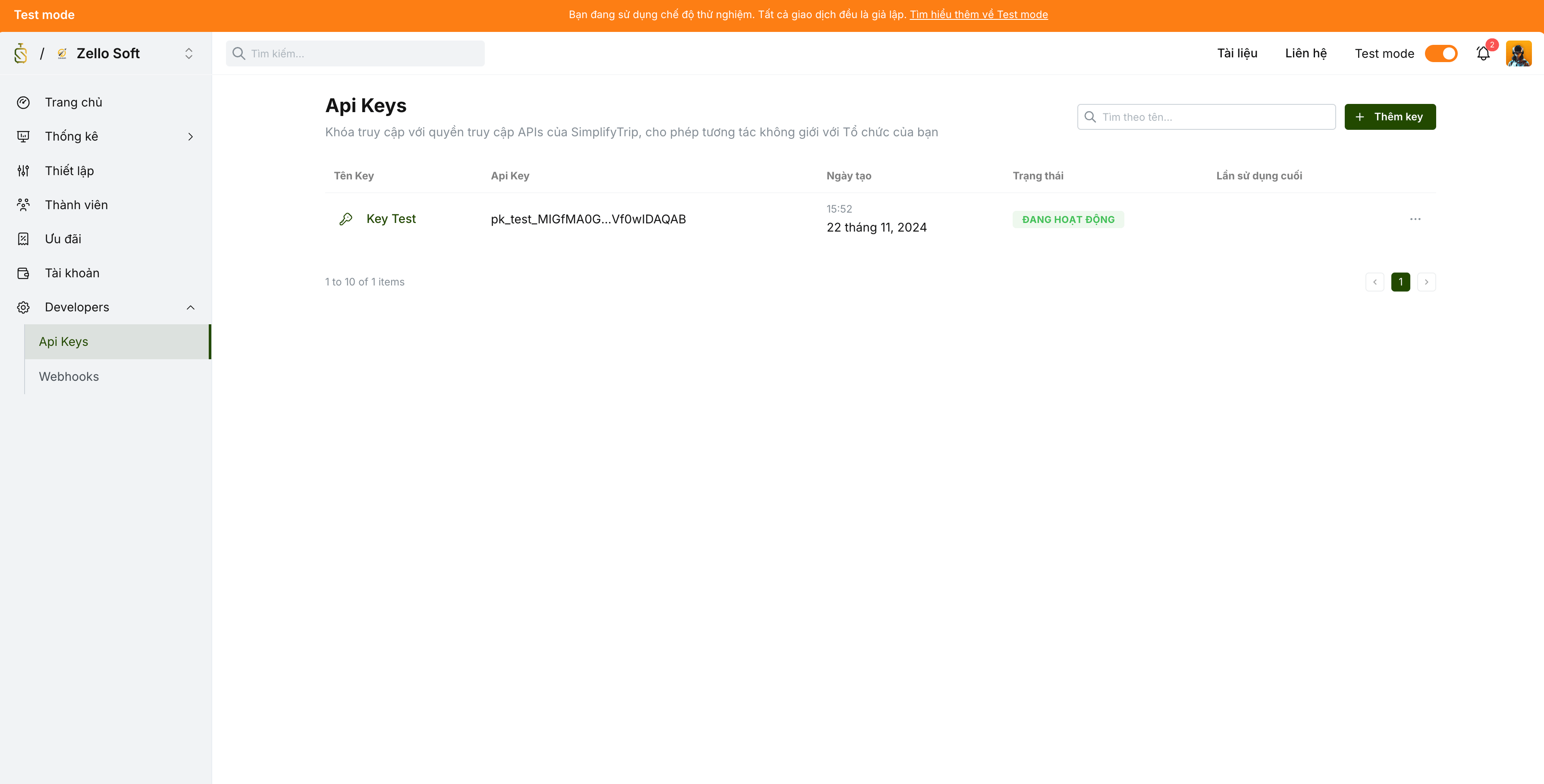
Enter required information for API key creation:
named - required | | API key name |
webhook - required | | Webhook endpoint URL to receive data from SimplifyTrip |
ip - required | | IP whitelist. Only IPs in this list can use this API key. |
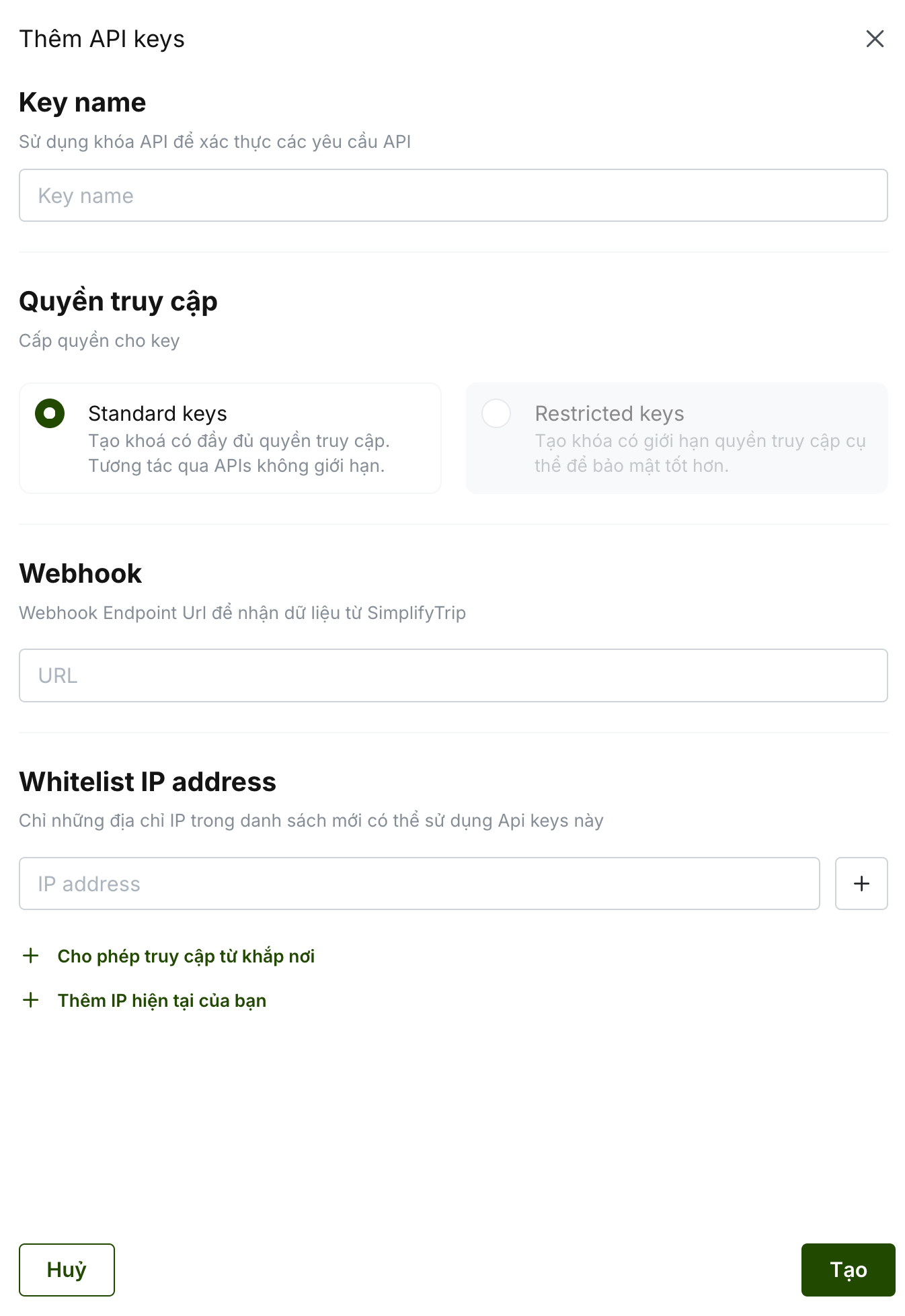
Note API key details are shown only once right after creation. Save them before closing the dialog.
Manage API Keys
API key details include the required information to send requests to SimplifyTrip APIs.
Your API Key and Secret Key have broad privileges. Keep them secure and never expose them in public places such as GitHub or client-side code.
apiKey - required | | API key sent in the |
secretKey - required | | Secret key sent in |
checksumKey - required | | Key used for signature verification details |
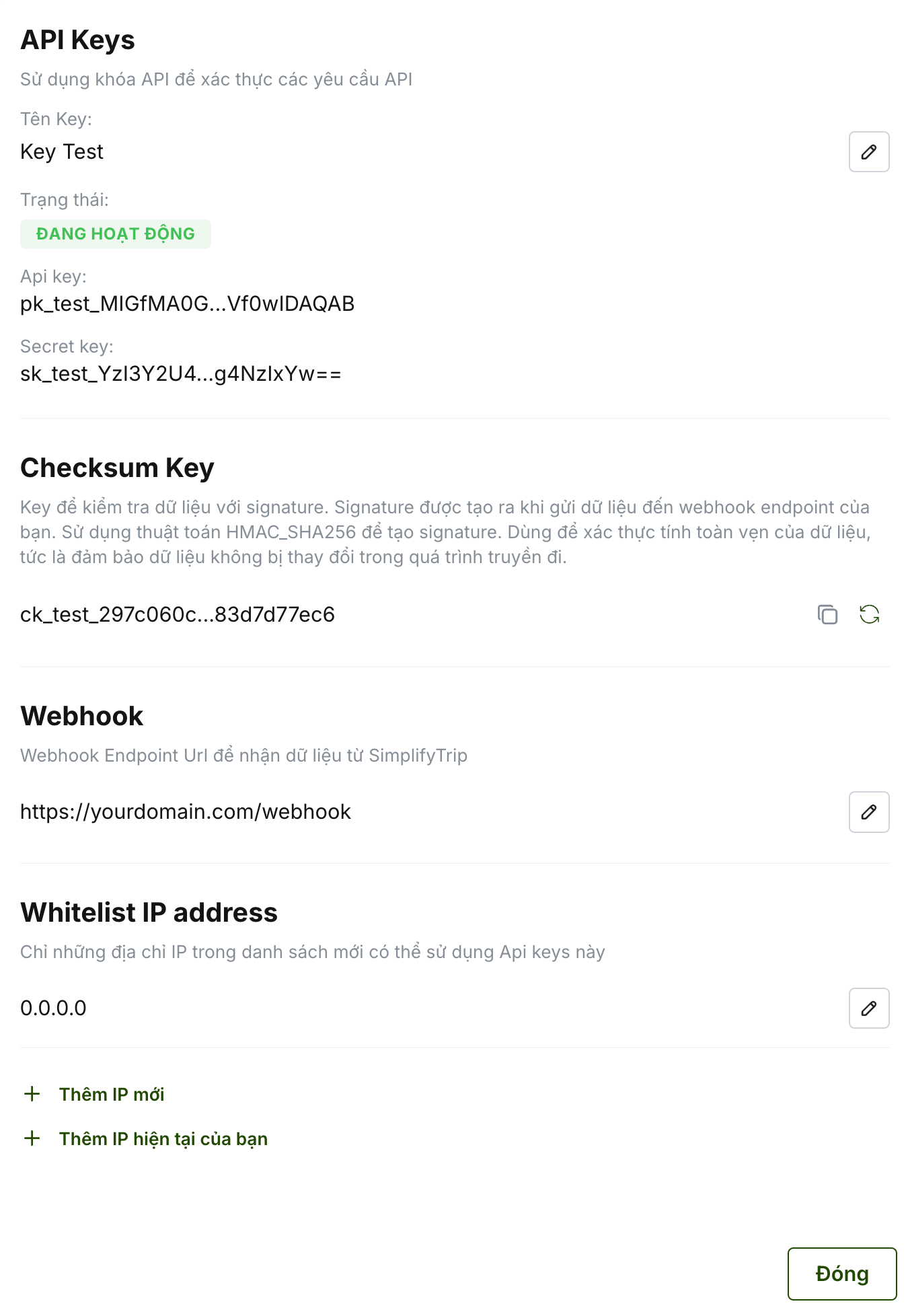
You can create multiple API keys for different purposes and update selected settings later.
Warning If your keys are exposed, disable or delete them and generate new keys immediately.